Engineering systems, built around one model.
Explore the software behind LIZO Blueprint and Runtime + Diansun, understand what is available today, and see how the longer-term architecture fits together.
Three products, three different states.
LIZO Blueprint
Status: existing product — availability subject to the current commercial offering.
A structured workspace for engineering models: equipment hierarchy, equipment relationships and terminals, configured calculations and constraints, scenario comparison and revision-linked reports, plus an AI-factory workspace for high-density data-centre models.
Explore Blueprint →LIZO Runtime + Diansun
Diansun is the assistant and energy workspace that runs today inside the LIZO application: an AI chat assistant, energy bill upload and validation, consumption analysis, a preliminary energy-audit workflow with an approval step, and downloadable PDF reports.
Results are preliminary and require human verification; audits are not certified energy audits.
Try Diansun → Diansun overview →LIZO Kernel
Status: architecture-defined; not yet a released, built product.
Kernel is the intended shared core of the LIZO architecture — the layer meant to hold the common engineering model and coordinate Blueprint and Runtime. It is not available for installation, deployment or commercial delivery.
Explore LIZO Architecture →From parameters to traceable engineering outputs.
1 · Define the project and modeled equipment
Create or import a project and build its equipment hierarchy.
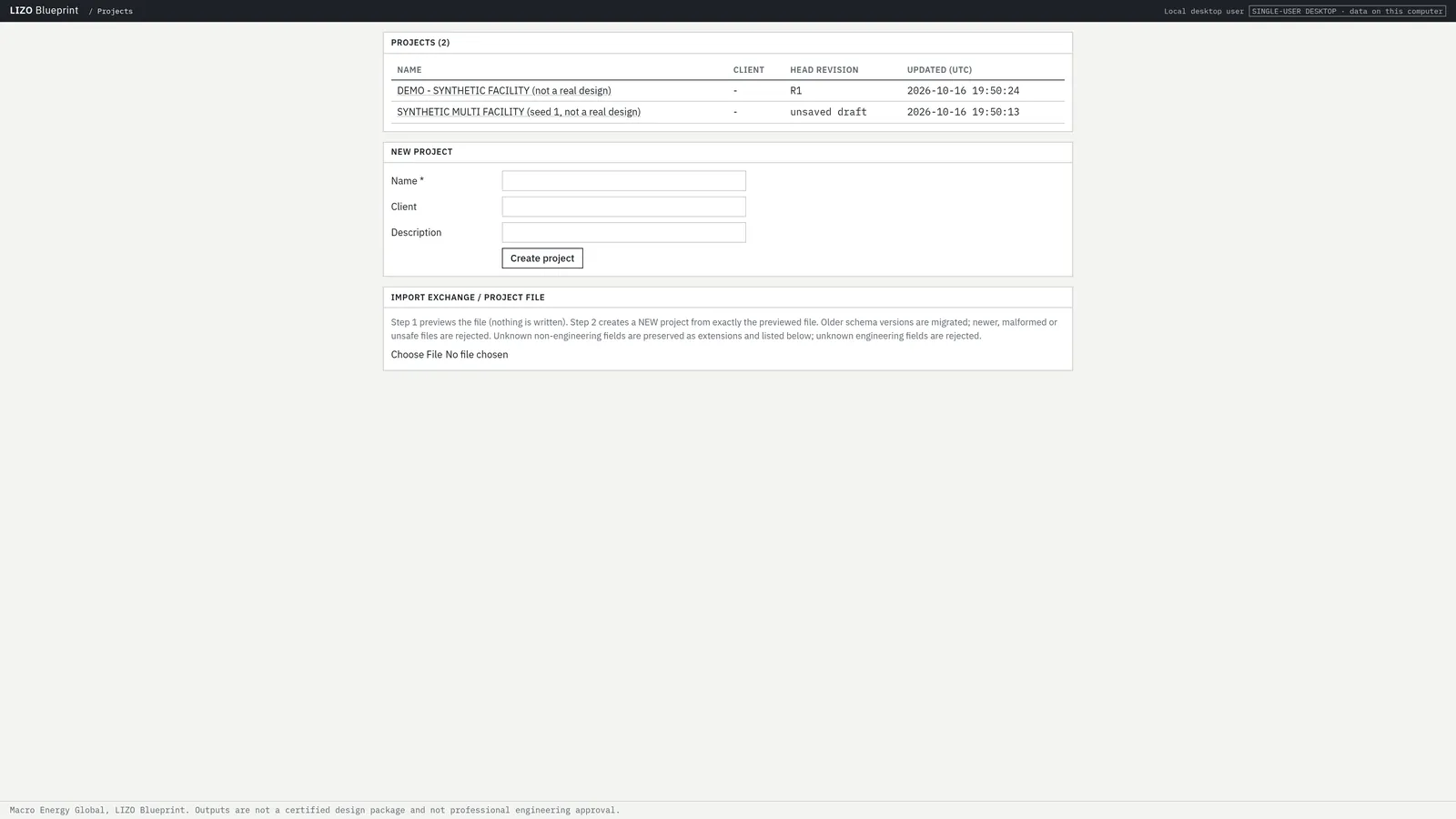
Real projects screen; demonstration projects only.
2 · Connect equipment and configure parameters
Connect terminals and set supported properties in the inspector.
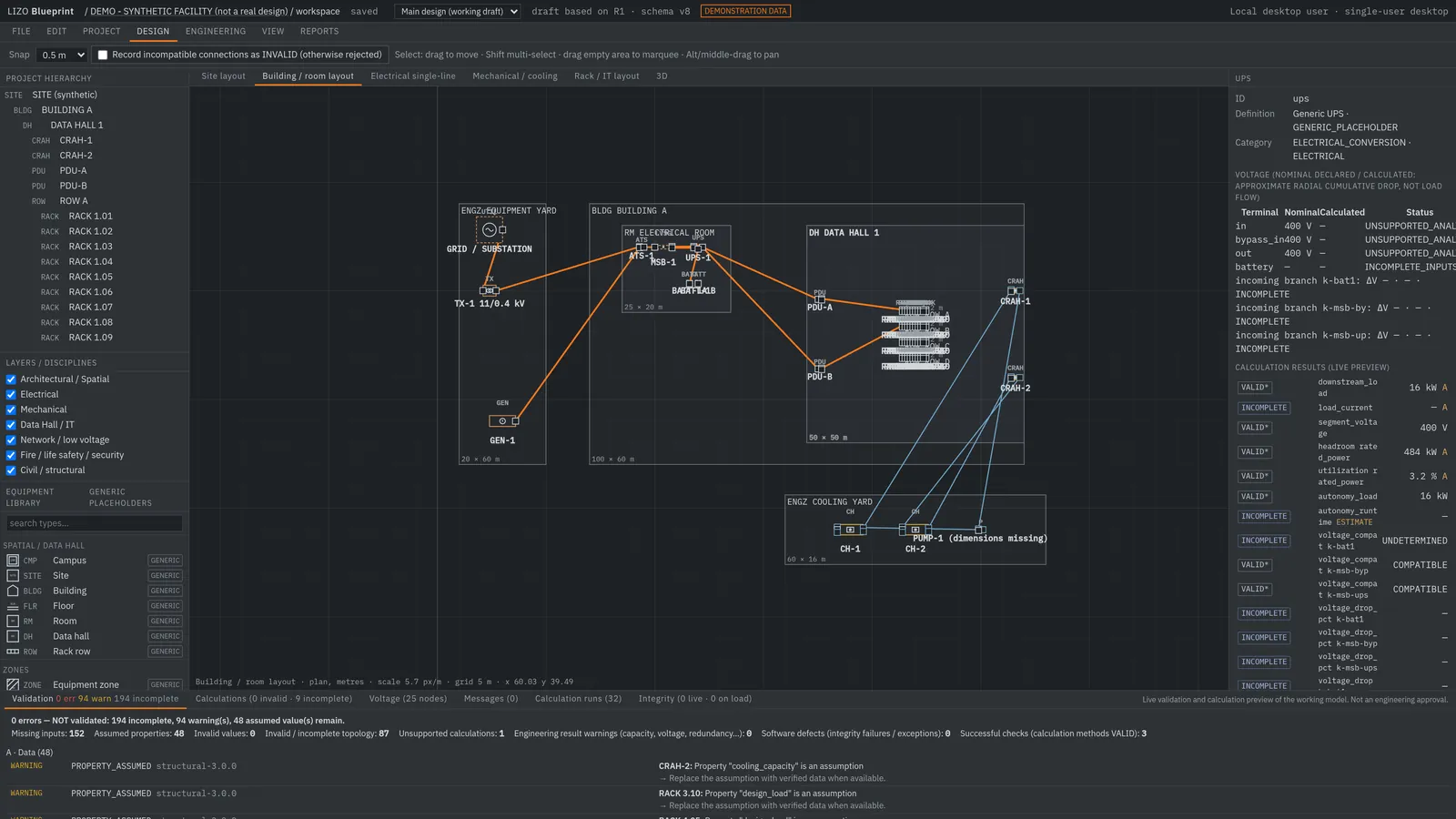
Real inspector screen.
3 · Evaluate calculations and constraints
Deterministic calculations and configured constraint checks flag invalid, assumed and missing values.
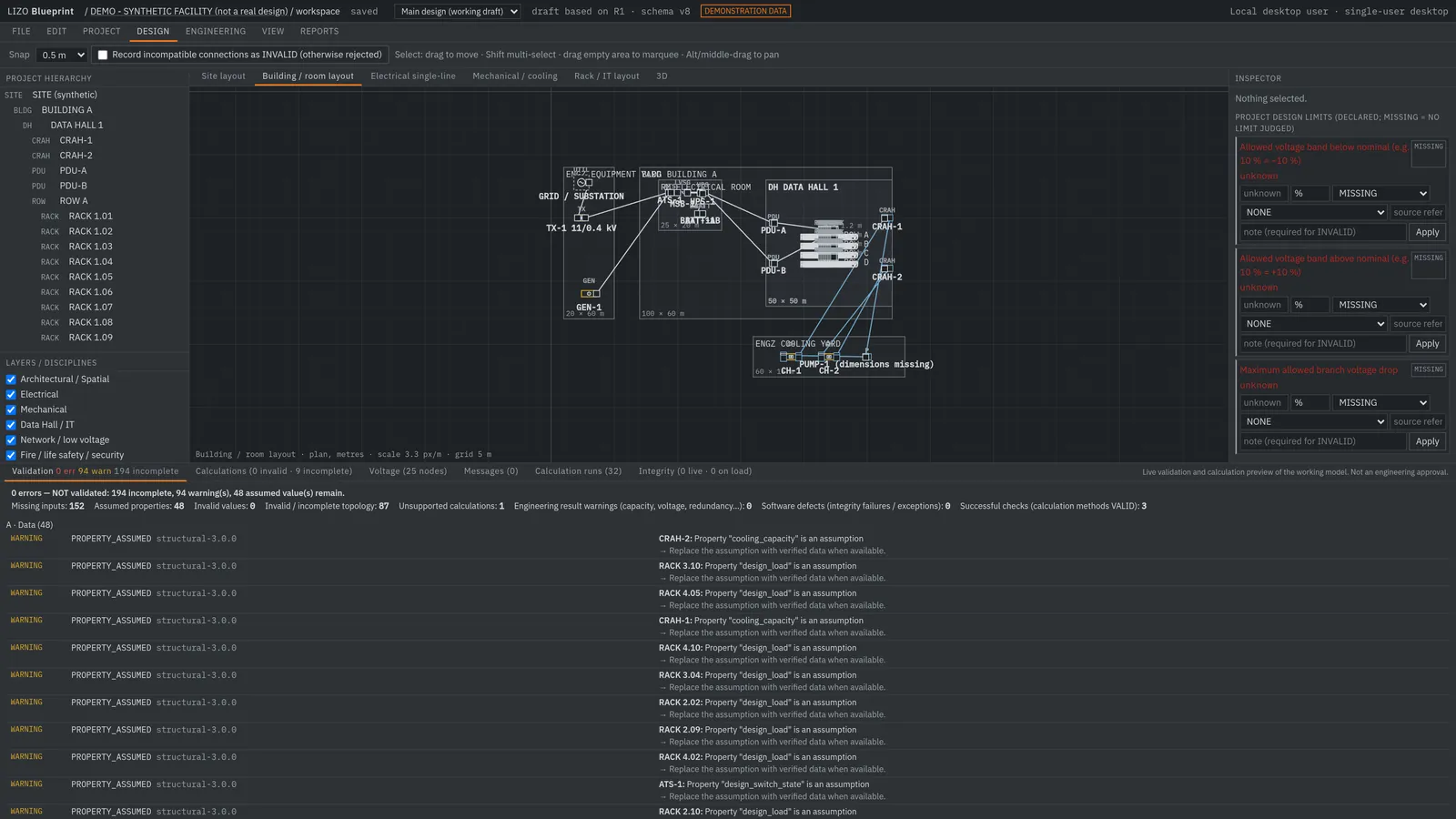
Real validation output.
4 · Compare scenarios and inspect outputs
Compare a scenario against its baseline revision and generate revision-linked reports.
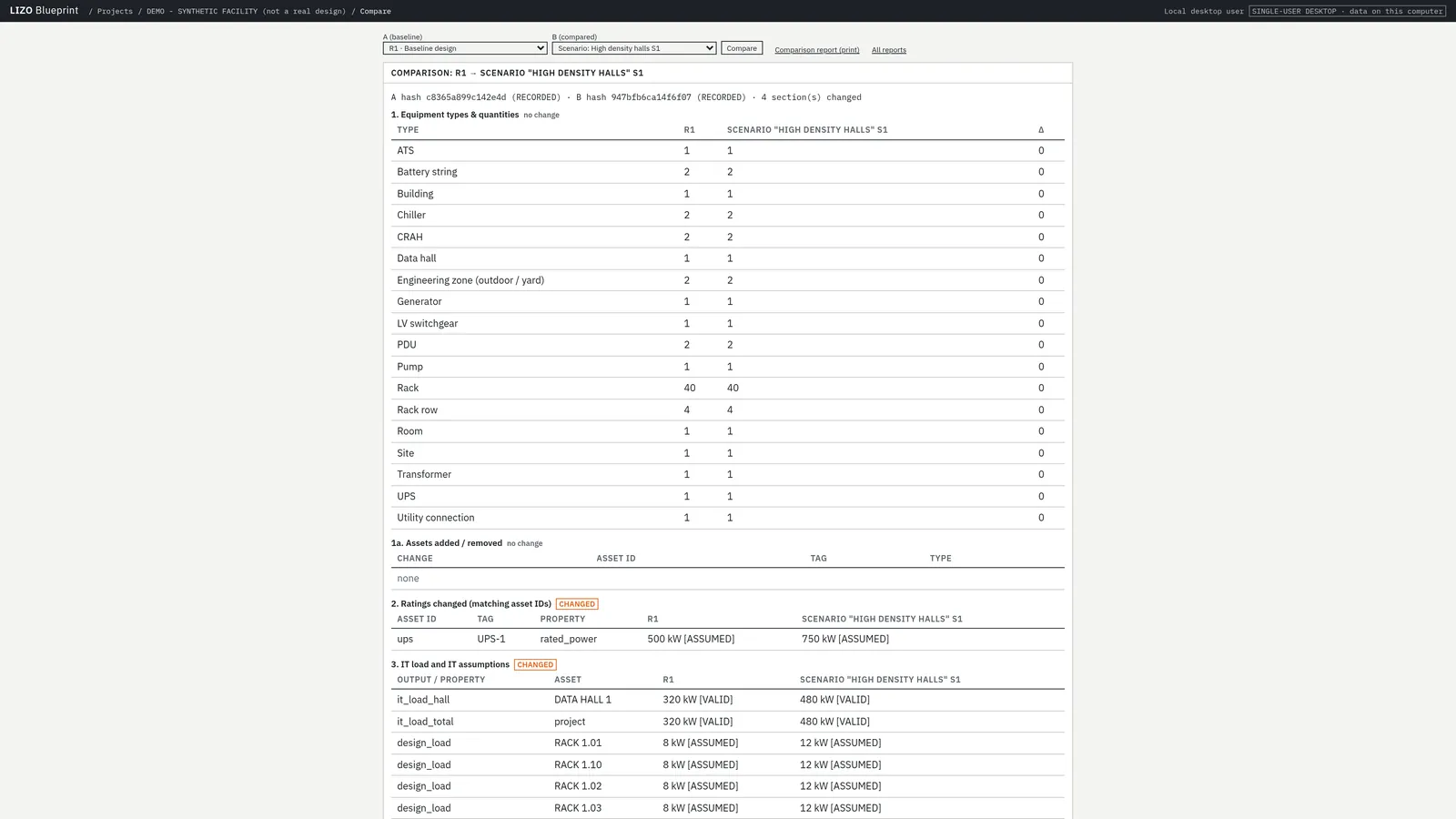
Real comparison between recorded revisions.
Make assumptions visible. Make results reviewable.
Every modeled value carries a status. In the core workspace values are VALID (supplied and checked), ASSUMED (a placeholder the engineer must replace) or MISSING. In the AI-factory workspace each populated default is tagged by provenance: reference source, engineering assumption, demo, calculated, or missing.
Calculations are configured constraint evaluations — deterministic rules applied to the values in the model, with unit checks (for example, kWh is rejected where kW is expected). Missing data blocks a result rather than being filled in silently.
LIZO does not claim compliance with IEC, UL, NFPA, Uptime Tier or other standards. Where a method follows a published standard (for example IEC 60909 short-circuit screening), it is a screening implementation that requires review by a qualified engineer.
A real calculation trace. The calculations view lists each run with the inputs it used and its result status.
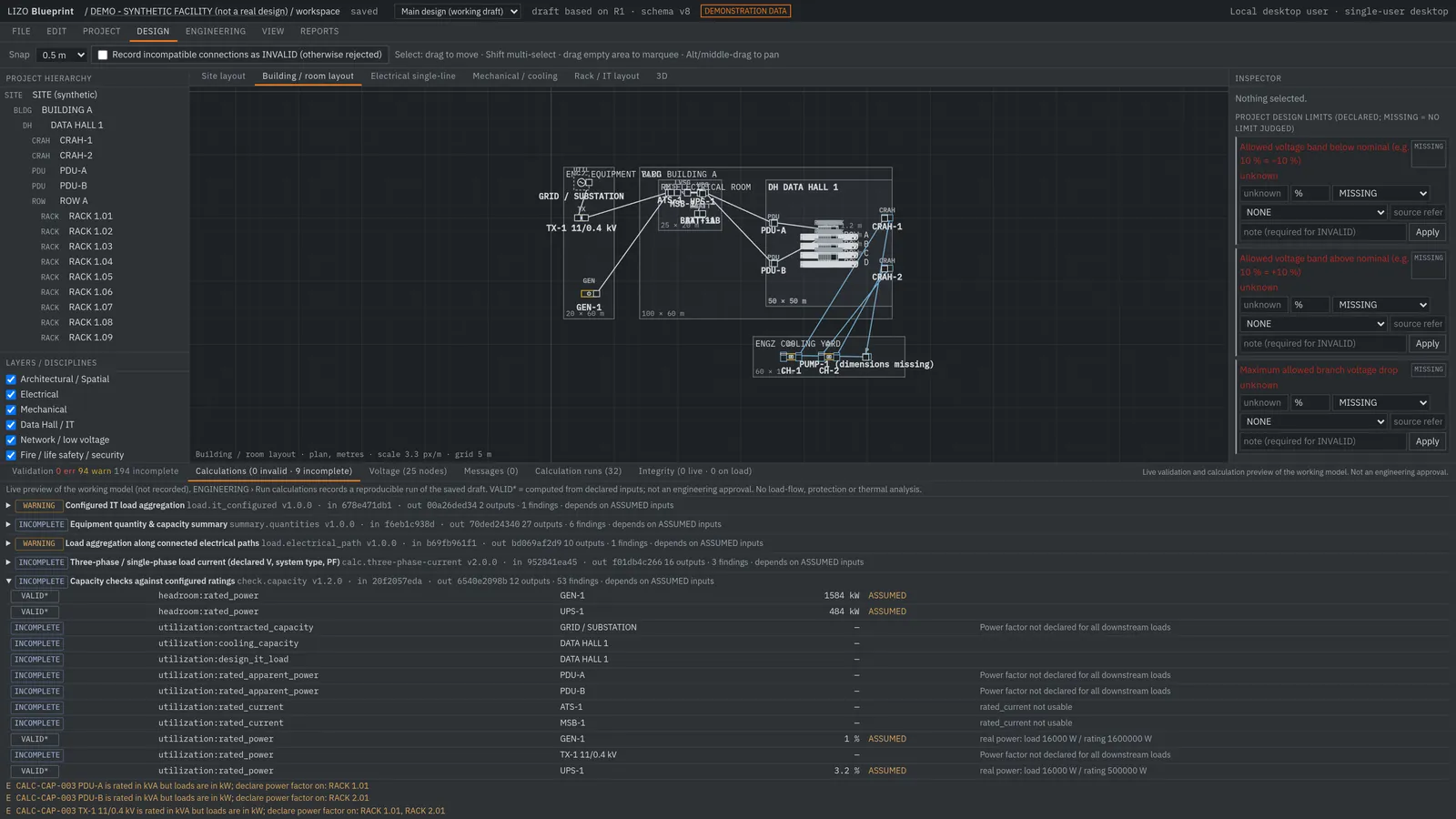
Real calculation runs on the synthetic project.
Integration, with clear boundaries.
Audited against the current application code. File-based exchange is what exists today; no live plant or BMS connector is implemented.
| System / format | Implementation | Data flow | Supported workflow | Limitations |
|---|---|---|---|---|
| Engineering model exchange (JSON) | Imported / exported file | Both directions | Import a project file with preview before applying; export the model and AI-factory model as JSON. | Schema-versioned file exchange; no live sync with other tools. |
| Telemetry CSV import (AI-factory workspace) | Imported file | Into Blueprint | Load time-series values from a CSV file for comparison against the model. | Not live telemetry. Values are labelled as imported. |
| BOM / report export (XLSX, HTML) | Exported file | Out of Blueprint | Download the bill of materials and engineering report. | Static export; no procurement-system integration. |
| Diansun bill upload (PDF text / CSV / images) | Uploaded file | Into Diansun | Extract billing fields with a deterministic parser; optional AI reading of bill images. | Raw uploads are not stored. Scanned-PDF reading is not available yet. AI reading sends images to an external AI service, as the app notes. |
| Diansun audit report (PDF) | Exported file | Out of Diansun | Download a preliminary audit report regenerated from the stored audit. | Preliminary statement, not a certified audit. |
| AI model provider (OpenRouter) for Diansun | Live (server-side) | Outbound | Powers the Diansun assistant and optional bill-image reading. | Third-party model service; results require human review. |
| S7, BACnet, Modbus TCP, MQTT | Planned | — | Represented in the model as connector placeholders with status NOT_IMPLEMENTED. | No live ingestion or control exists. |
How the pieces are meant to fit.
Blueprint (built) is where engineers define and evaluate the model. Runtime + Diansun (built, as the Diansun workspace in the LIZO application) is where documents, bills and audits are processed and where the assistant runs. Kernel (architecture-defined) is the planned common core that would let these share one engineering model and services.
Today, Blueprint and Diansun run in the same application but do not share a live data pipeline. A separate Runtime service is planned but does not yet exist as its own deployment.
Conceptual design This section describes intended architecture, not shipped software.
Product status.
| Product | Status | Evidence |
|---|---|---|
| LIZO Blueprint | Existing product | Real working product captures |
| Runtime + Diansun | Existing product | Real working product captures · Try Diansun |
| LIZO Kernel | Architecture-defined, not yet built | Architecture explanation |
This page is updated as product status changes. No version numbers, release dates or adoption figures are published here.