Macro Energy Global/ LIZO
LIZO Intelligence

Intelligence for the Energy Era.

Meet Diansun. An AI-powered interface for understanding energy operations, analyzing bills, generating energy audit reports, and working with energy documents.

Diansun, the LIZO AI assistant mascot
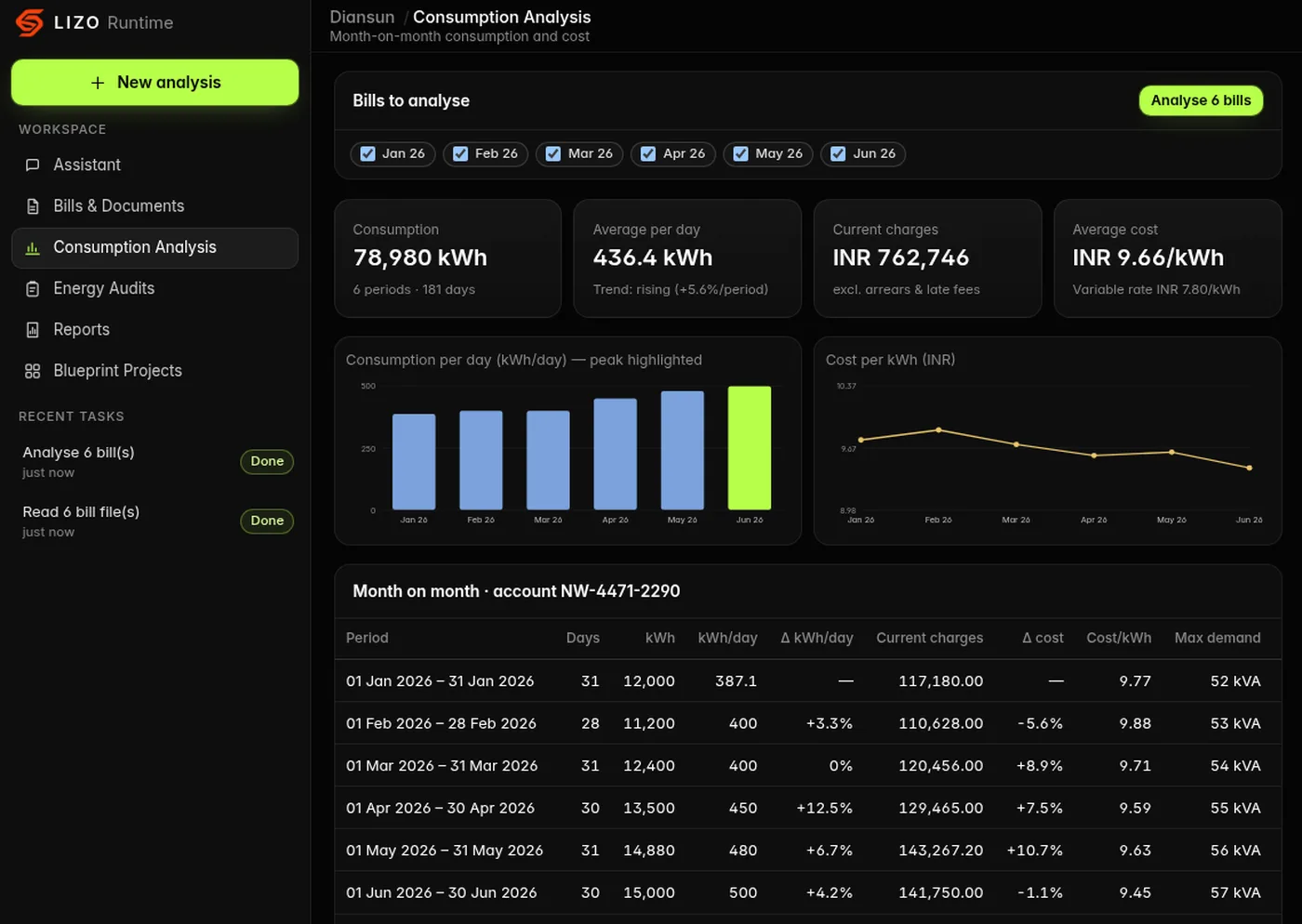
Diansun consumption analysis screen: six monthly bills compared, with consumption per day, cost per kWh and a month-on-month table
Product screen · Consumption analysis · synthetic sample data
01 / Modules

One workspace for energy information.

Four connected modules. Calculations are deterministic and shown with their inputs, so every figure can be checked.

A · ASSISTANT
Diansun, the LIZO AI assistant mascot

AI Energy Assistant

Ask questions about energy infrastructure, power architecture, tariffs and efficiency, and get clear, structured explanations.

  • Conversations about data-center power, UPS redundancy and grid concepts
  • Guides you to the right analysis or audit step
B · BILLS

Energy Bill Analysis

Upload electricity bills and Diansun extracts the billing period, consumption, demand and charges, then validates them.

  • Month-on-month consumption and cost per kWh
  • Flags inconsistent totals and duplicate bills for your review
C · AUDITS

Automated Energy Audits

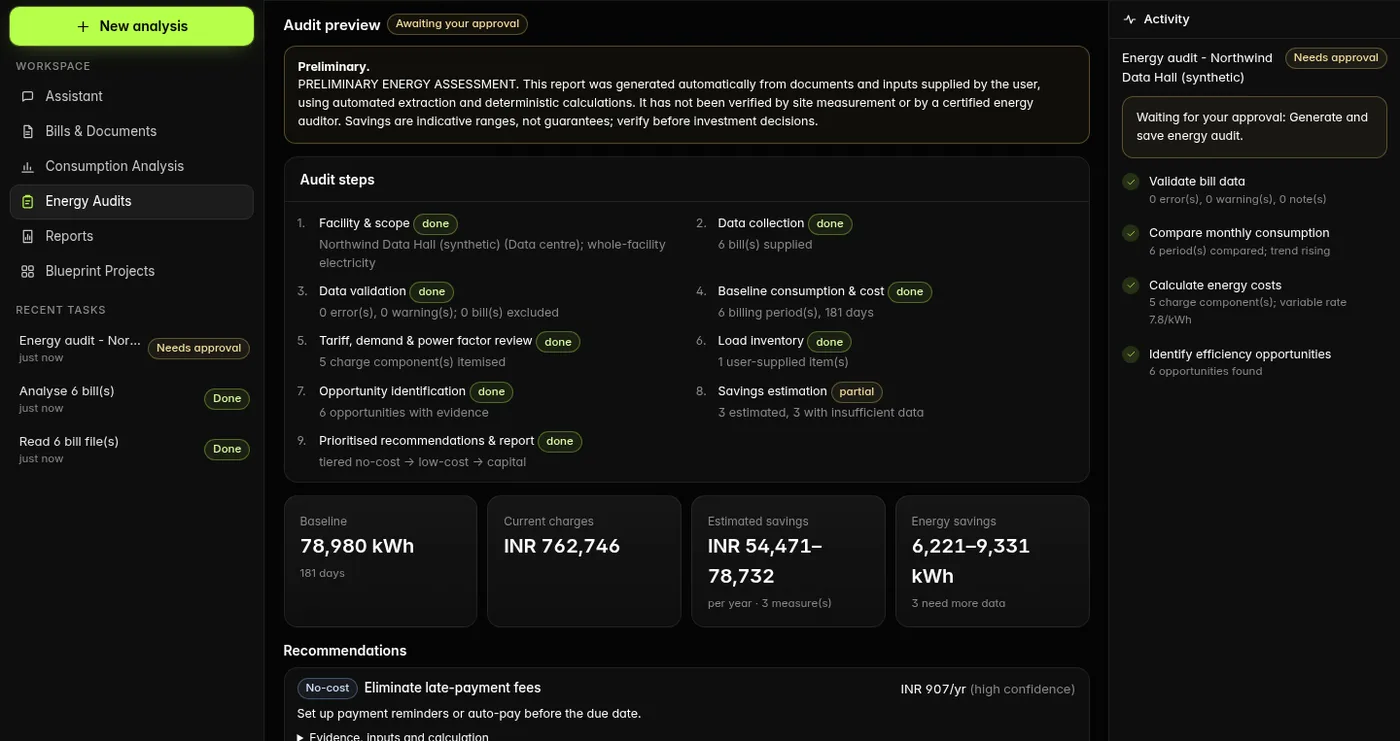
Builds a preliminary, evidence-based energy assessment from your bills and the facility details you provide.

  • Baseline, tariff and demand review, prioritised recommendations
  • Savings shown as indicative ranges; you approve before a report is saved
D · DOCUMENTS

Document & PDF Intelligence

Reads text-based PDF bills and images of bills, and exports audit reports as PDF.

  • Text-based PDF reading and downloadable PDF reports
  • Scanned-PDF reading Coming soon
02 / How it works

Three steps. You stay in control.

  1. 01

    Provide your data

    Upload supported bills and documents, or enter facility details. Nothing is pulled from other systems automatically.

  2. 02

    Diansun analyzes

    It reads and validates the documents, compares periods and calculates costs, and explains each step as it works.

  3. 03

    Review the results

    Check the findings, approve the audit and download the report. Calculations show the inputs they used.

03 / Product preview

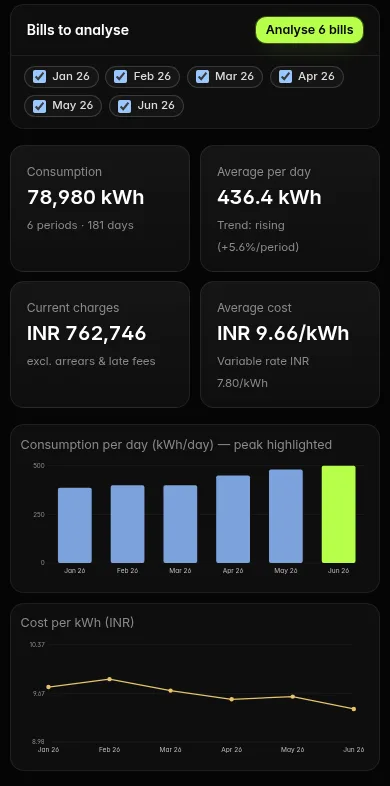
Built for desktop and mobile.

Screens show the product running on synthetic sample bills for a fictional facility. Audits are preliminary assessments, not certified energy audits.

04 / Human verification

What a person still needs to check.

  • Extracted bill values — billing period, consumption, demand and charges — against the original bill.
  • Tariff and rate assumptions used in the analysis.
  • Facility details you entered, which Diansun cannot verify on its own.
  • Indicative savings ranges, before any investment decision.
  • The audit itself: it is not saved until you approve it, and the report is marked PRELIMINARY.

Diansun audits are preliminary assessments, not certified energy audits. Scanned-PDF reading is not yet available, and original uploads are not stored.

05 / Exports

What you can take away.

  • Approved audit reports as downloadable PDF, marked PRELIMINARY.
  • Saved bills, analyses, audits and reports listed in your workspace.
06 / Beyond documents

Looking beyond document workflows?

If you are engineering the power system itself — for example an AI data center — LIZO Blueprint models the single-line structure, runs screening-level checks and compares design scenarios. It is a separate product from Diansun.

Explore Data Center Engineering

Diansun, the LIZO AI assistant mascot
Diansun by LIZO

Make Energy Intelligence Actionable.

Explore Diansun and discover a smarter way to work with energy information.